-2.webp?width=52&height=22&name=211112-BEPA001-IZIX-LOGO-RVB_POS_1%20(1)-2.webp)
This article is intended for:
Izix users who want to understand how they can enter a parking, as well as administrators responsible for configuring and managing access strategies and entrance methods.
The availability of this feature depends on your subscription plan and your role.
Contents
- Definition
- Why are access methods relevant?
- Overview of Izix access methods
- How to add additional access methods (for administrators)
- Where can I find the access methods available to me?
1. Definition
An Access method is a way for the system to recognise a user’s right to access a parking and trigger the access control device (gate, barrier, door, etc.).
2. Why are access methods relevant?
Understanding the access methods available to you allows you to know all possible ways to enter the parking.
Please note:
-
Available access methods depend on the parking setup.
-
They are configured and managed by your administrator.
-
You can find your available access methods in your user profile or access overview (see the section below).
-
3. Overview of Izix access methods
Below is the list of access methods offered by Izix:
| Name | Description |
|---|---|
| App (Remote) | Authenticated users can open the gate using the “Open” button in the Izix mobile app. |
| ANPR (Plate) | The gate is equipped with an Automatic Number Plate Recognition camera. If your licence plate is correctly registered in your Vehicle Information, the gate opens automatically. |
| Keypad (Code) | Some gates have a keypad where you can enter a 6-digit code ending with # to open the gate. |
| URL (Visitors only) | Visitors receive a link by email that opens a web-based remote control, similar to the mobile app, with an “Open gate” button. |
4. How to add additional access methods (for administrators)
Administrators can adjust the entrance methods of an existing access strategy.
Follow these steps:
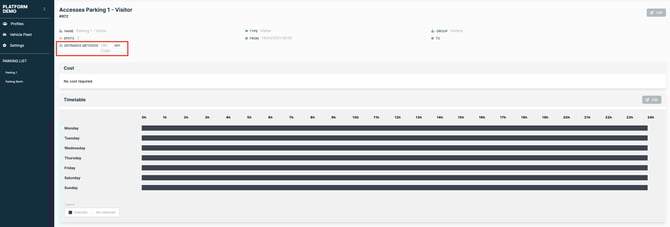
Parking list → Select the parking → Management of accesses → Click “Show” on the desired access strategy → Edit the entrance method
From there, administrators can enable, disable, or update the access methods associated with that access strategy.
5. Where can I find the access methods available to me?
If you are a user, check the article linked here to learn how to find your personal access methods. “How to find your access methods”